Cutting-edge flow cytometry software with advanced automation and standardization features

  • 21 CFR Part 11 compliance for electronic records and signatures
  • Automated PMT calibration, multicolor compensation, acquisition, and analysis
  • Inter- and intra-instrument harmonization
  • Automated data management

Flow cytometer MACSQuant Analyzer 16 in a laboratory setting
News

New MACSQuantify Software 3.1 – out now!

One software. Many workflows. Zero chaos.

Upgrade to MACSQuantify Software 3.1 and bring confidence to your workflows. This release is built for environments where multiple users, complex multiparameter panels, and evolving applications demand both standardization and flexibility, without added effort:

  • Adjust your Express Modes to your research needs: Now you can mix and match single Included and Add-On Express Modes, giving you more operational freedom to adjust them to your specific applications.
  • Rely on consistent performance over time: Continuous instrument and QC monitoring helps you maintain consistent data quality across users, instruments, sites, and long-term studies.
  • Meet regulatory requirements with less effort: Enhanced 21 CFR Part 11 module includes gate tracking, extended audit trail entries, and automated system backups, simplifying compliance while improving traceability and control.
  • Improve calibration for higher data quality: Support for automated PMT calibration with the new Advanced Calibration Beads delivers optimal instrument performance.
  • Respond faster when panels or reagents change: Flexible multicolor panel recompensation lets you add or replace single-stain controls without reacquiring the entire panel, saving you time and resources.

21 CFR Part 11 enabled MACSQuantify Software module

Subpart 11 of the Code of Federal Regulations Title 21 (21 CFR Part 11) defines the requirements for submitting electronic records to the FDA as well as the criteria for using electronic signatures. Our optional 21 CFR Part 11 software module of the MACSQuantify Software supports this by enabling:

  • Time-stamped audit trails for all data files and users, which record the creation, modification, and storage of the files
  • MD5 checksum verification for generated files
  • A user management system which includes a full segregation of rights and configurable password policies
  • The support of external authentication services (e.g. Active Directory, LDAP)
  • The ability to create run reports with electronic signature
  • A fully customizable lock screen functionality
  • Automated data backup and disaster recovery system
  • Performance and QC tracking tools

Brochure

21 CFR Part 11 Statement

Download the 21 CFR Part 11 Statement with detailed information on all MACSQuantify Software features that enable the submission of electronic records to the FDA.

Comprehensive workflow automation with Express Modes

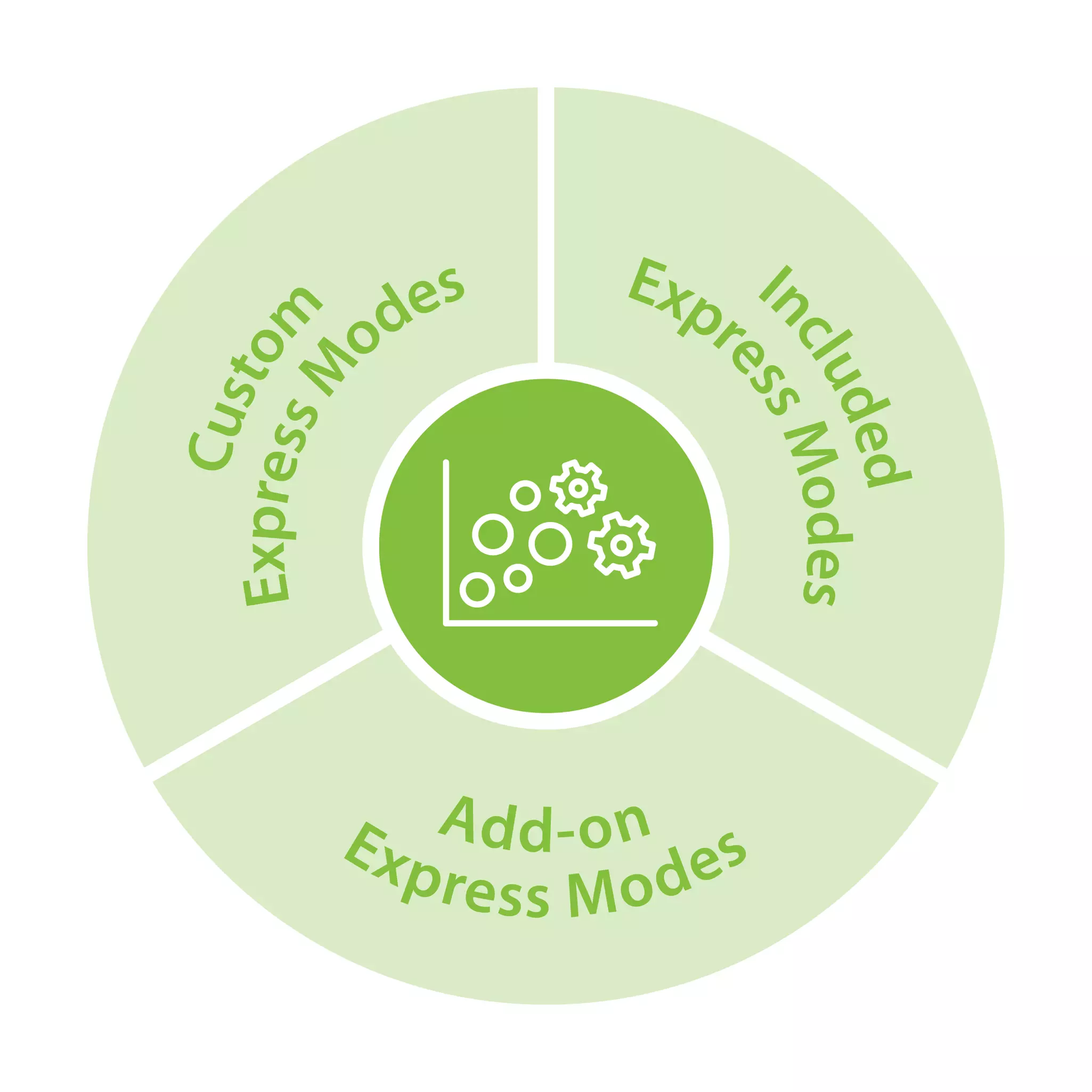
Miltenyi Biotec Express Mode Types for flow cytometry automation: included Express Modes, Add-on Express Modes, Custom Express Modes

Make your life easier with our variety of Express Mode options. Each Express Mode is based on mathematical algorithms developed using real data sets.

This feature allows you to fully automate and standardize your experimental process. From the automated labeling of your sample to the analysis template, everything is done with a minimum of effort. You can choose from included or add-on Express Mode packages or custom solutions tailored to your specific needs to fully automate and standardize experimental processes for optimal efficiency.

With the new software release, our user-friendly Express Mode manager lets you easily mix and match Express Modes and define user access to different applications on your device to suit everyone's needs.

Video

Automated flow cytometric Express Mode assays with the MACSQuant Analyzer Family

Automation features heavily in the MACSQuant Analyzer Family of flow cytometers. Together with our REAfinity® Recombinant Antibodies, the MACSQuant Analyzer bring unrivalled reproducibility to your flow cytometry experiments. It’s as simple as press play and walk away.

Optimal instrument performance with automated PMT calibration

With your MACSQuantify Software, automated processes such as PMT calibration ensure a consistently high level of performance and reproducible results.

MACSQuant Calibration Beads are specifically designed for the automated optimization of channel voltage settings. With our next generation of calibration beads, we added even more benefits to our calibration process, ensuring you always achieve the highest level of instrument performance.

  • More parameters, same easy workflow, optimal read-out
  • Refined settings and specifications
  • Improved scatter channel calibration

Additionally, the new software version includes our Performance and QC tool, which allows you to track the accuracy and precision of your MACSQuant Analyzer over time.

Automatic compensation for easy handling of multicolor panels

The MACSQuantify Software has long supported automated multicolor compensation for up to 14 colors in a 14x14 matrix, using either single stained cells or our dedicated compensation beads.

With the new recompensation tool you can now add or modify channels of an existing compensation matrix by loading single stain information from a prerecorded sample library. In addition, the new Compensation multicolor Flex Express Mode enables the use of cells and beads simultaneously.

Video

Automated compensation on the MACSQuant Analyzer

It is well known that spectral overlap is problematic for flow cytometric analysis using certain fluorochrome combinations. With the MACSQuant Analyzer Family, multicolor compensation is fully automated. Find out how it can make your life easier!

Flow cytometer consistency with Smart Gain technology

Infographic showing the smart gain harmonization of the MACSQuant flow cytometers

Smart Gain technology allows inter- and intra-instrument harmonization of your MACSQuant Analyzer to increase standardization. It automatically adjusts the PMT voltages to predefined target values during daily PMT calibration.

As a result, optimized and validated settings can be reliably transferred between instruments and across sites for highly reproducible and consistent results.

Flyer

Learn more about the unique features of the MACSQuantify Software for multi-instrument harmonization

Achieve consistent results over time, regardless of location. Smart Gain technology enables the reliable transfer of instrument settings for inter-site comparability. Start standardizing your flow cytometry now.

Flow cytometry data management made easy

Your data files are automatically saved and can easily be backed up or transferred to a hard drive, USB flash drive, or network drive. In addition, all information is stored in a digital format for easy offline compensation and recompensation.

The MACSQuantify Software allows you to save other file formats, such as experimental settings or analysis templates (e.g., gating strategies). They can also be seamlessly exported as FCS files for use by other programs.

Ready to be reopened and used at any time: High-resolution charts, histograms, and plots can be effortlessly copied, printed, or exported for immediate incorporation into reports or presentations.

With the latest software releases, we have added automated data backup and a disaster recovery system to ensure that your data is always safe.

All MACSQuantify Software products

30 products found

|

You have previously chosen International as your location.
What do you want to do?